
Parts, Materials, and Tools Needed
- OpenString PCBs (any number, depending on the string length you need)
- Housing (see Prepare Housing for the SIMB3 example)
- 3-conductor harness cable
- Hookup wire
- Soldering station (iron, solder, wetted sponge, etc.)
- Box knife
- Safety glasses, nitrile gloves
Insert PCBs and Solder Together
Place the OpenString PCBs into the housing in the order they will sit in the finished string. Pay attention to orientation: the bottom of one board connects to the top of the next.
Connect the boards electrically by soldering each of the 4 castellated holes between adjacent boards. Reference the video for a visual guide.
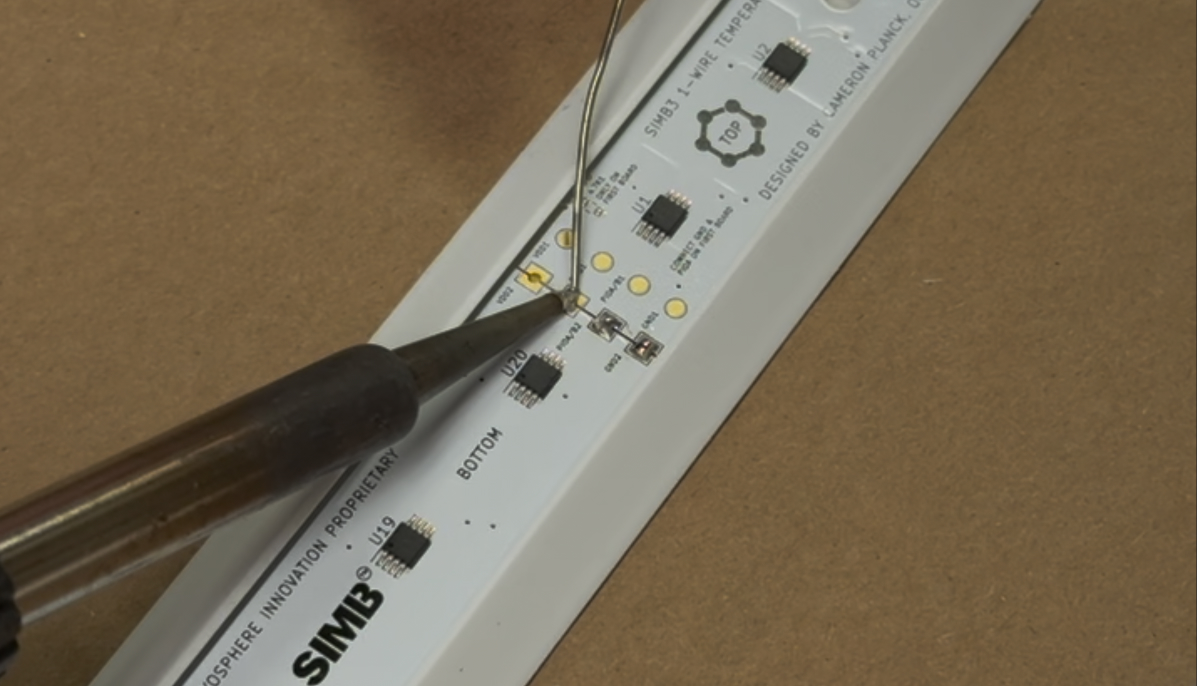
Make sure each castellated hole is soldered thoroughly, but be careful not to overheat the joint.
When joining two boards, solder one castellated hole first. You can then reheat the joint to reposition the boards squarely before soldering the rest.
Prepare the Harness Cable
The harness cable connects the string to your data logger or microcontroller.
- Cut a section of harness cable to your desired length. For SIMB3, we cut it to 28 inches.
- Using a box knife, strip the outer insulation to leave an exposed section of insulated cable. The majority of the outer jacket should be removed.
- Cut away the green wire, leaving only the red, black, and white conductors.
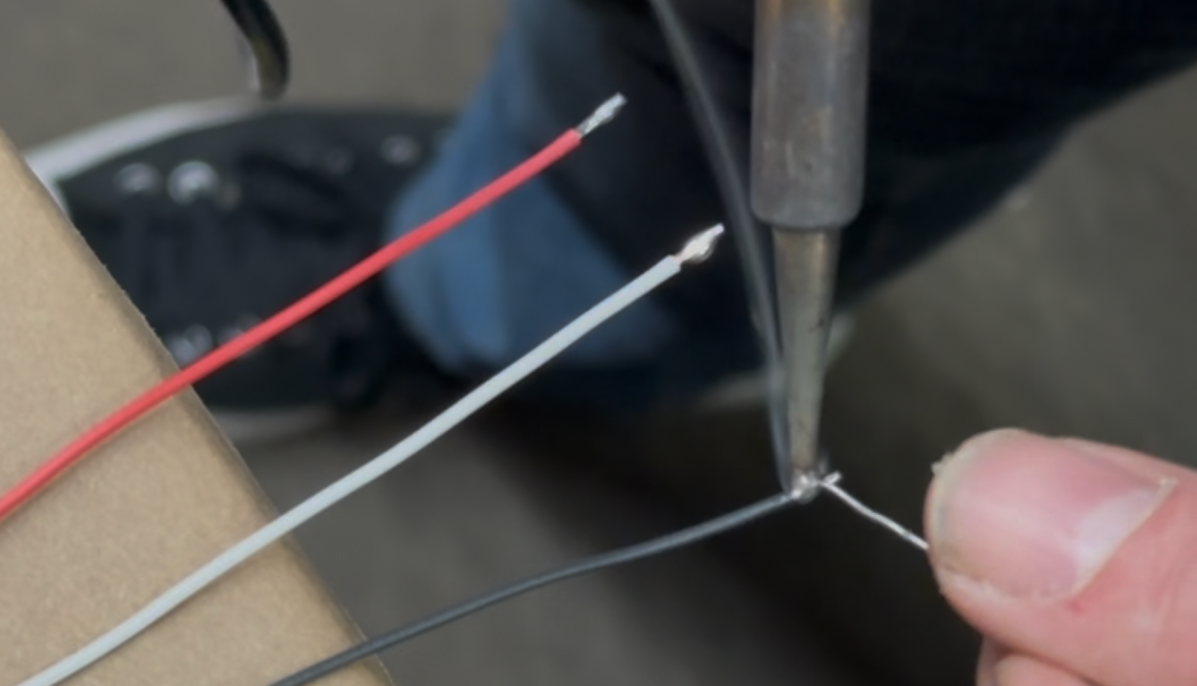
- Strip the ends of the red, black, and white wires 1/4 inch.
- Tin each end. Leave a small ball of solder — it makes connecting the harness to the PCB easier later.
Insert Harness into Housing
Gently insert the harness through the hole in the top end of the housing. Only the insulated section should be exposed outside the housing.
Solder the Harness to the Top PCB
Solder the three wires to the top PCB:
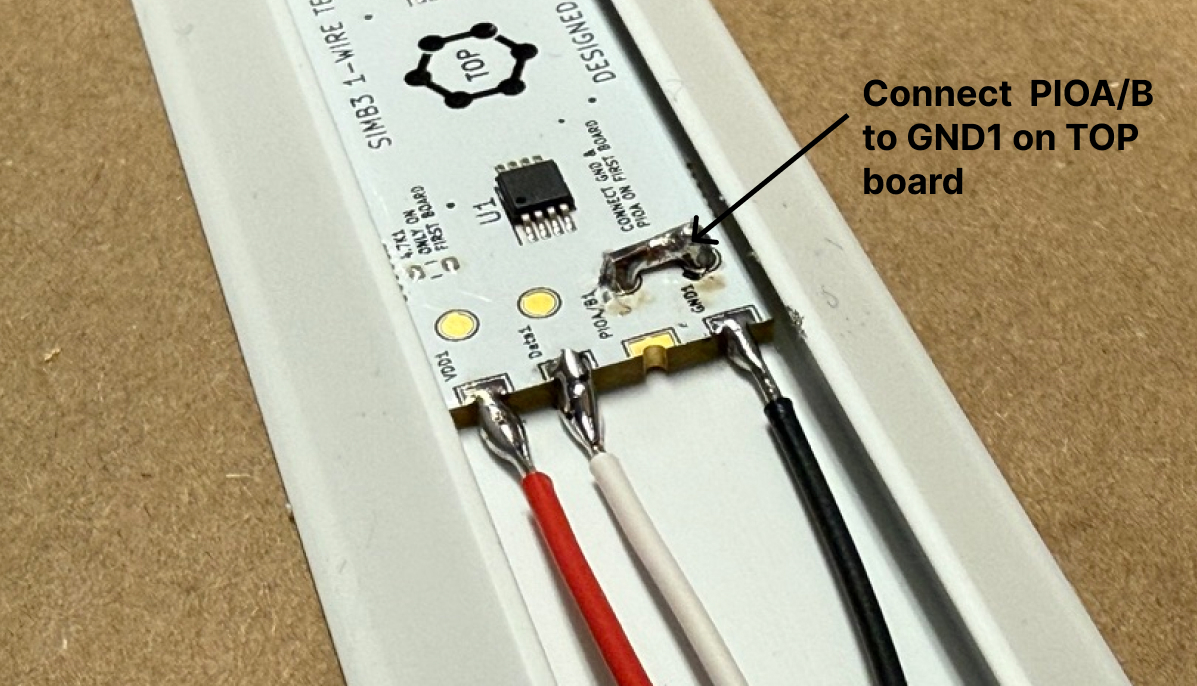
- Red → VDD castellated hole
- Black → GND1 castellated hole
- White → Data1 castellated hole
Ground PIOA/B on the Top PCB
Using a stripped, tinned piece of hookup wire, connect the PIOA/B pad to the GND1 pad on the top PCB. This is required for the chain's sequence-detection feature, which lets the firmware determine the position of each sensor at run-time.
Super Glue the Harness Wires to the Housing
-
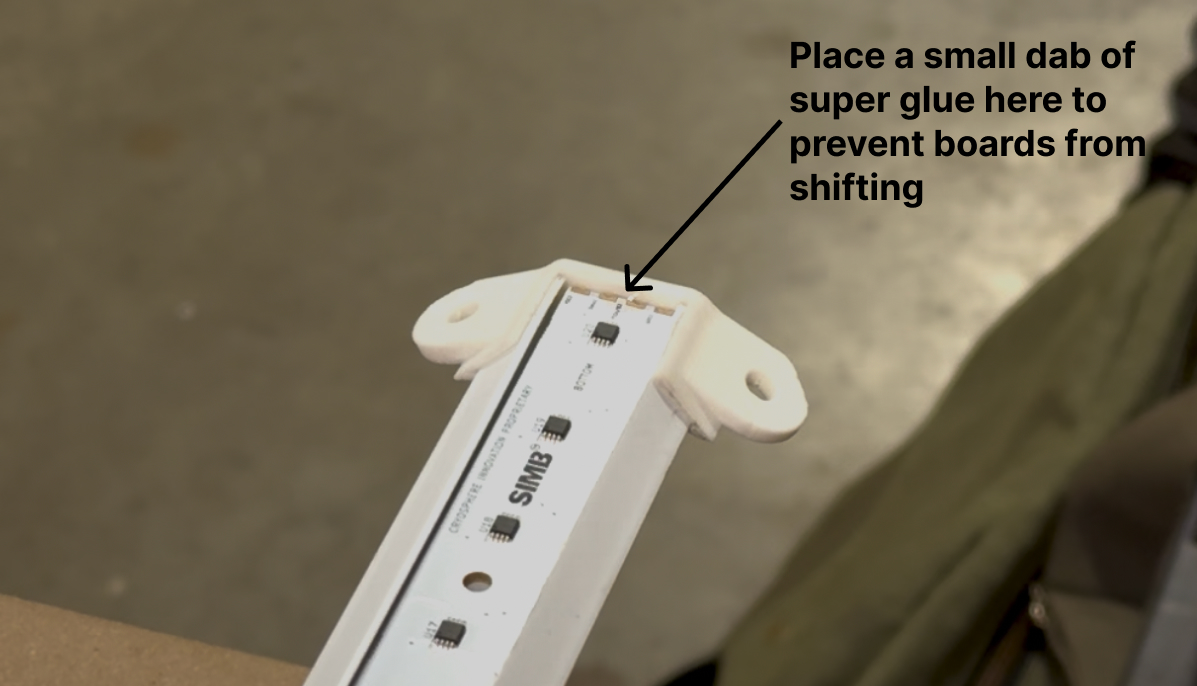
Position the string and harness so the bottom edge of the first PCB is touching the bottom end of the housing. Place a dab of super glue on the bottom edge to hold it in place.
-
Starting near the top PCB, group the harness wires together and place a dab of super glue. Use accelerator to speed setting.
-
Repeat every 10 inches or wherever needed to keep the wires flat against the housing. Bulging wires will protrude through the potting compound.
Seal the Top End with Super Glue
Apply a generous amount of super glue around the harness hole at the top end of the housing to seal it. Use accelerator to speed setting.
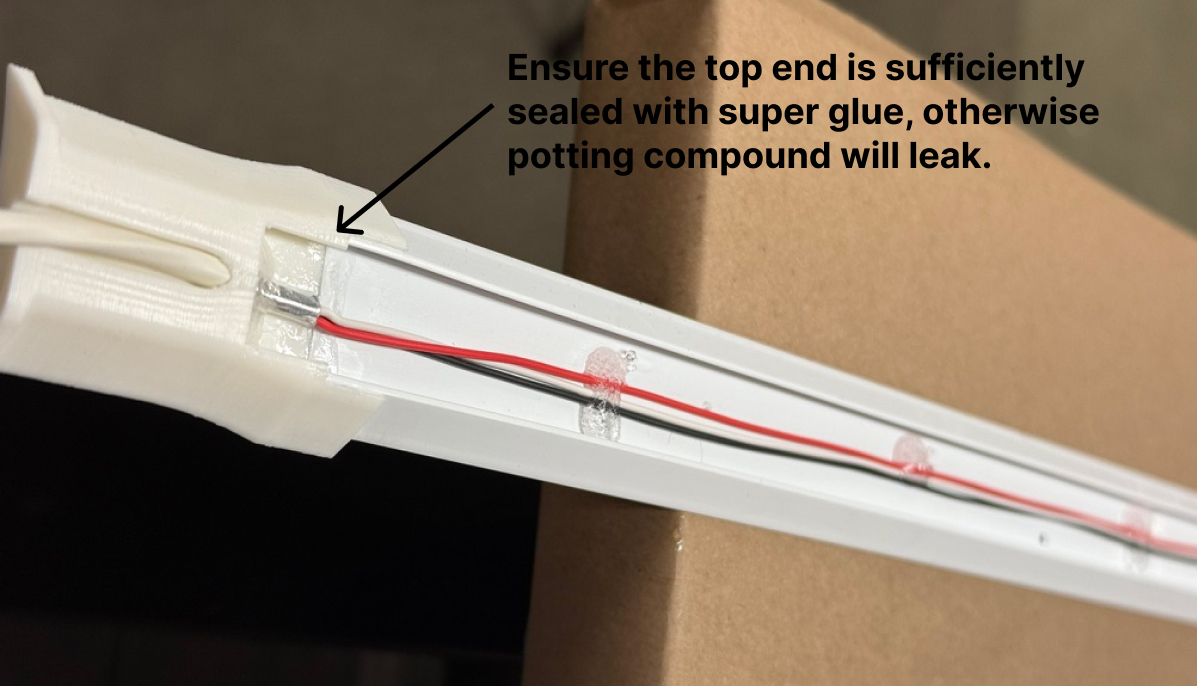
The string is now ready for potting, then testing and mounting.